
Shopify
Start a messaging workflow when a customer places an order or its status changes.
Connect your store, spreadsheets and payments to customer messaging. Keep the tools you know, and let TextTango handle the next conversation.
Browse integrations ↓Start a messaging workflow when a customer places an order or its status changes.
Connect your store and turn order events into timely customer messages.
Add OTP login, checkout phone verification, order notifications and SMS campaigns to your site.
Append, look up and update spreadsheet rows from your customer workflows.
Create payment links with your Paystack account and start an automation when a payment arrives.
Use a connector token and webhooks to send messages, create contacts and enroll customers in workflows.
Add TextTango API calls and incoming webhook events to your Make scenarios.
Connect your n8n workflows through authenticated API requests and webhook subscriptions.
Zapier, Make and n8n connect through API calls and webhook subscriptions. Set them up using a TextTango connector token and your workflow tool’s HTTP or webhook steps.
Connect your accounts from the Integrations hub, review connection status and check activity when a workflow needs attention.
Store orders and payment events can start an automation. In a chatbot conversation, use spreadsheet operations or an API call to bring in the information your customer needs.
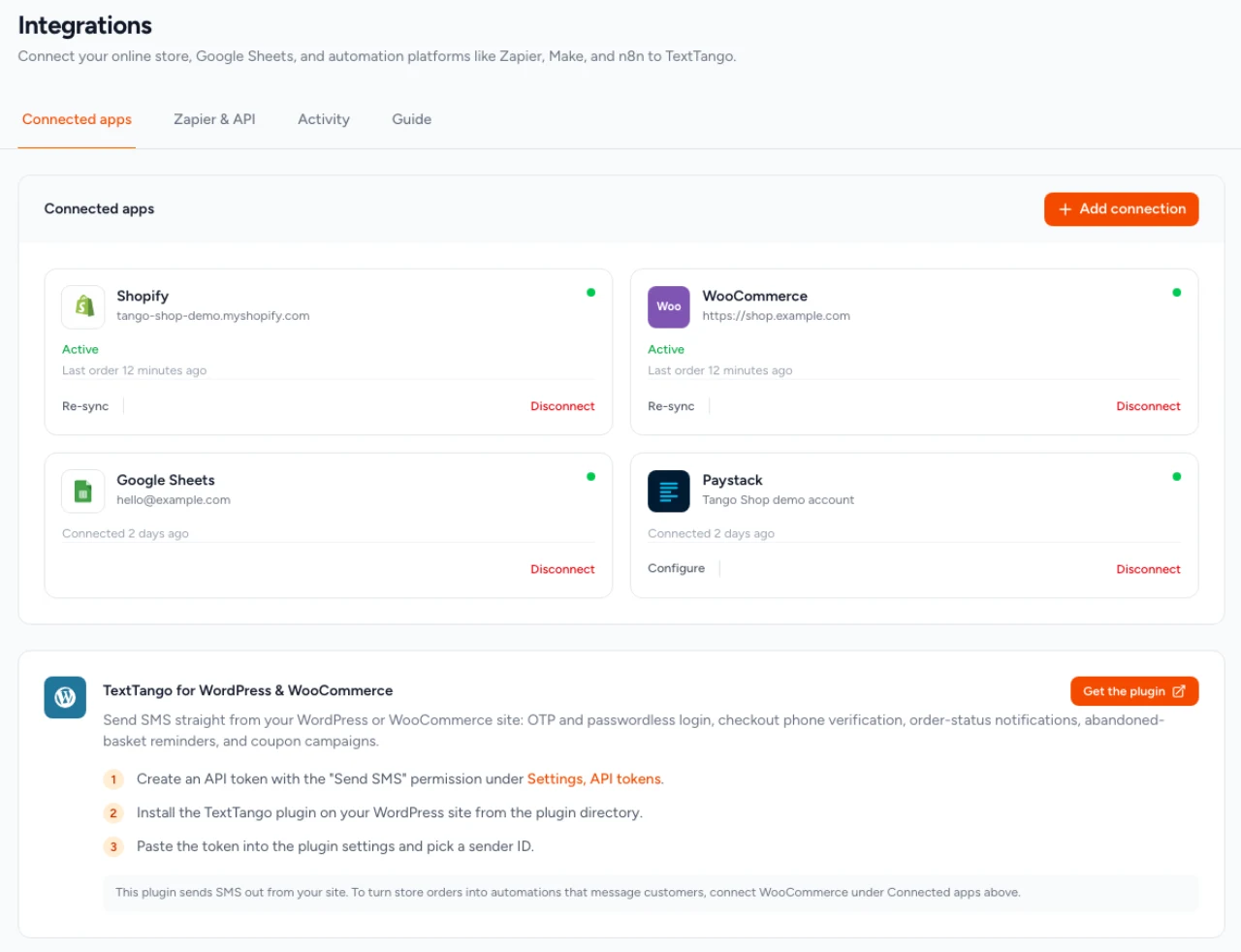
Link a supported account, install the WordPress plugin, or create a connector token for your workflow platform.
Start with an order or payment event. Add the messages, spreadsheet steps or API calls your workflow needs.
Check the connection and try your workflow with test data. Review the result before activating it for customers.
Use the REST API and webhooks for a custom workflow.
Direct connections are managed in the Integrations hub. WordPress uses a plugin. Zapier, Make and n8n require configuring API requests or webhook steps in your workflow tool.
Store and payment events start automations. Chatbots start with an incoming customer message. You can use integration actions inside those conversations.
Yes. Connect your own Paystack account to create payment links and react to payment events.
The app’s Integrations hub includes a Guide tab. The developer API reference covers custom API requests and webhooks.
Connect your business tools to customer messaging.