Everyday FAQs
Offer opening hours, your location and a way to talk to the team. On WhatsApp, let customers choose from a menu.
Build guided conversations for WhatsApp and website live chat. Answer everyday questions, collect customer details and branch on their replies, with a visual flow you control.
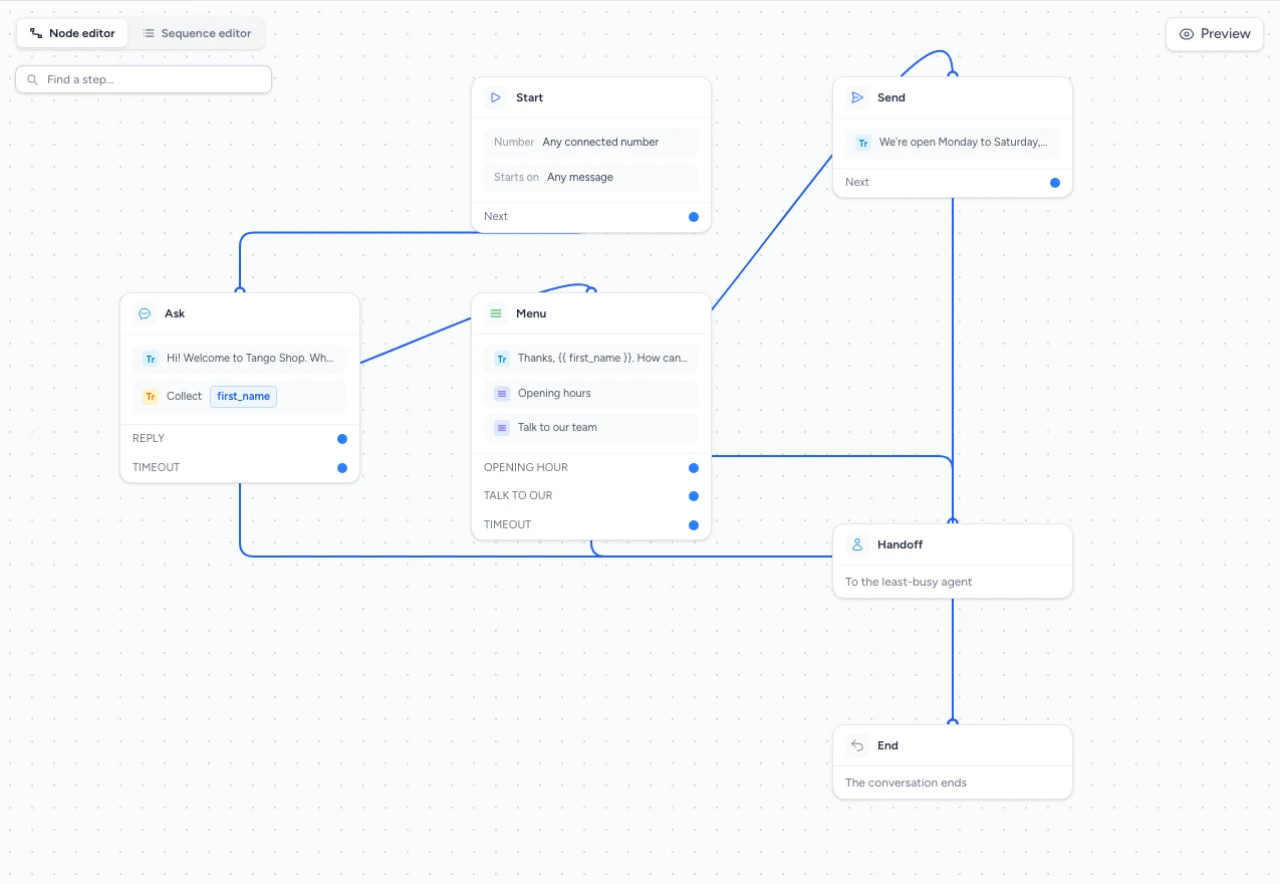
A paused demo in the TextTango visual builder.
A guided flow, with a person there when needed.
| Capability | Website live chat | WhatsApp Beta |
|---|---|---|
| Text conversations | Included | Included |
| Ask questions & capture details | Included | Included |
| Conditions & waits | Included | Included |
| Interactive menus | Not available | Included |
| Optional AI answers | Not available | Available |
| Agent handoff step | Not available | Available |
Website chatbots use text-based flows. WhatsApp’s interactive and AI steps are specific to that channel.
Offer opening hours, your location and a way to talk to the team. On WhatsApp, let customers choose from a menu.
Ask for a name and email, then branch by what the customer needs. Save those details for your follow-up.
Welcome a new customer, gather the information you need and guide them to their next step.
Use spreadsheet operations or an API call to connect a chatbot step to your business tools and reuse the response later in the flow.
No. Build a guided flow with messages, questions, conditions and waits. AI answers are an optional step for WhatsApp.
Yes. Ask for details such as a name or email and save the answer to a contact field.
WhatsApp flows include an agent handoff step. That chatbot step is not currently available for website live chat.
A chatbot starts when a customer messages you and guides a conversation. An automation starts from an event such as a sign-up, order, payment or API enrollment.
WhatsApp is in beta. Request early access from the WhatsApp product page to connect your number.
Build your first guided flow, or let us walk you through it.